
How do payouts work?
Updated
TeachMe.To makes payouts simple, fast, and secure. Students pay upfront when they book, and your payouts are automatic and sent once a week, every Wednesday.
Below is everything you need to know about when and how you get paid.
1. TeachMe.To Collects Payment Before the Lesson
Before you meet your Student, TeachMe.To collects the full lesson payment from them.
This protects coaches from no-shows and ensures you’re paid promptly after the session is completed.
You’ll never need to collect payments directly from Students.
2. Automatic Weekly Payouts
Coaches no longer need to request payment. After each completed lesson, we create the payout automatically. Our team reviews every lesson, and approved payouts are sent once a week, every Wednesday morning (Pacific time). See What is the payout schedule? for the cutoff and instant payout details.
Weekly payouts do not include venue or reservation fees. You still need to request these fees manually. To request a venue fee, contact support.
3. First-Time Coaches: Setting Up DOTS
For your first-ever payout, you’ll receive a text message from DOTS, TeachMe.To’s secure payment processor.
This text will guide you through:
- Adding your payout details
- Verifying your identity (standard compliance requirement)
- Setting up your bank account for deposits
Once this is completed, all future payouts will process smoothly.
For US coaches, the enabled payout options are bank transfer (ACH), PayPal, Venmo, Cash App, Payoneer, AirTM, Visa gift cards, and Amazon gift cards. International bank transfers are also available to eligible non-US coaches. The options you see depend on your location and account eligibility.
4. Optional (but highly encouraged): Add a Progress Report
After each completed lesson, you can add a lesson summary in the Coach App.
Adding a Progress Report allows you to:
- Give Students helpful notes
- Assign practice areas
- Improve retention and repeat bookings
- Build trust and professionalism
- Increase the likelihood of Students continuing weekly lessons
To add one:
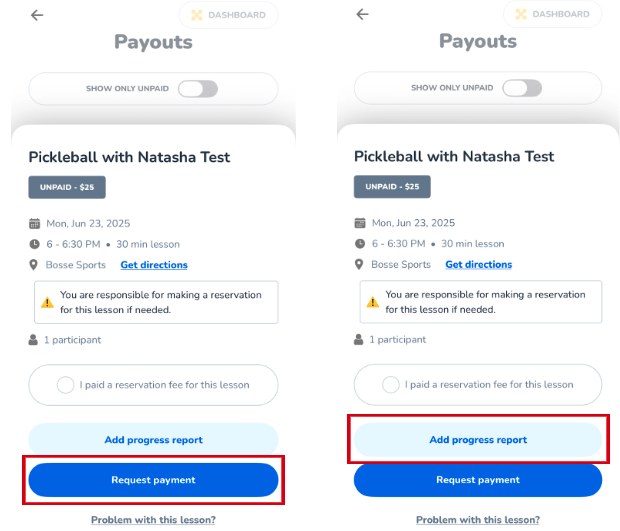
- Tap Add progress report
- Complete the rating scales
- Write a short summary
- Add any recommended drills or practice areas
This step is optional but strongly recommended. Coaches who provide progress reports often see higher rebooking rates.
5. Processing Timeline
Weekly payouts are free. For a flat $0.99, you can take an instant payout and get paid as soon as the lesson is approved. Venmo typically settles in 15 to 20 minutes once processed, while ACH transfers take 3 to 5 business days.
6. Tracking Your Payouts
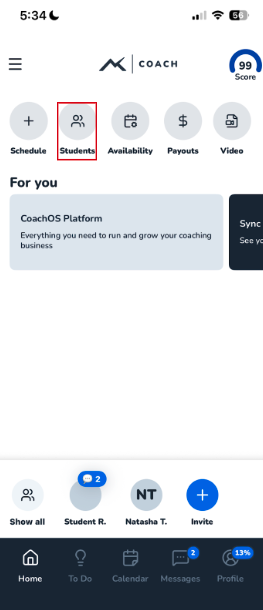
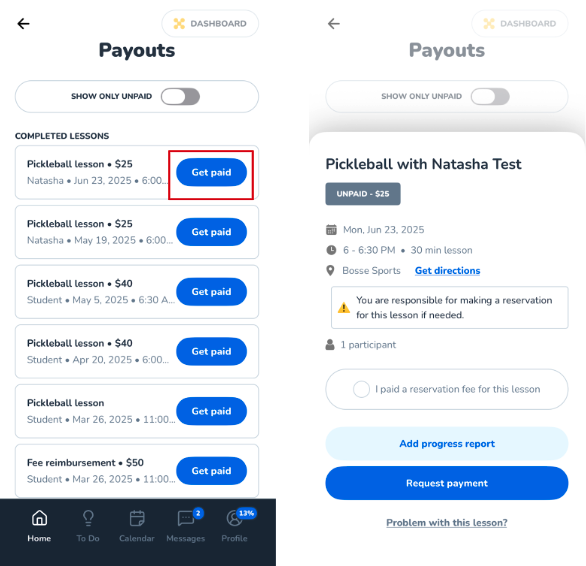
All of your payouts appear in the Payouts section of the Coach App.
You can track:
- Pending payouts
- Completed payouts
- Adjustments for reservation fees
This keeps everything organized and transparent.
7. Dynamic Pricing on Your Payouts
Dynamic pricing can change the price of a lesson. When it does, your payout details show a Dynamic pricing section.
The section lists each rule and the amount you earned from it:
- Busy time
- Adjacent scheduling discount
- Travel fee
- Lesson rate
A plus sign shows an amount that the rule adds. A minus sign shows an amount that the rule takes off. The section shows no service fee.
To see the section in the Coach App, open a lesson payout. To see it on the coach dash, open the payout details.
The coach dash also shows the section on package sale details, below Purchase details. It lists your share of each rule. An amount in a currency other than US dollars shows its currency code.
A package that a student pays you for directly shows no Dynamic pricing section.
Still need help? Our customer support team is always here to help. Contact us.